REC 00:00:03 / iPhone, iOS 17+
Your lines, right under the lens.
Reelly writes a short video script, scrolls it over your front camera while you record, and hands you a clip ready for Reels, TikTok or Shorts.
- Free to start
- No account
- Scripts written on the device with Apple Intelligence
One sitting, three scenes
From an idea to a posted clip, without a second take for every line.
Scene 01Write
A first draft in seconds.
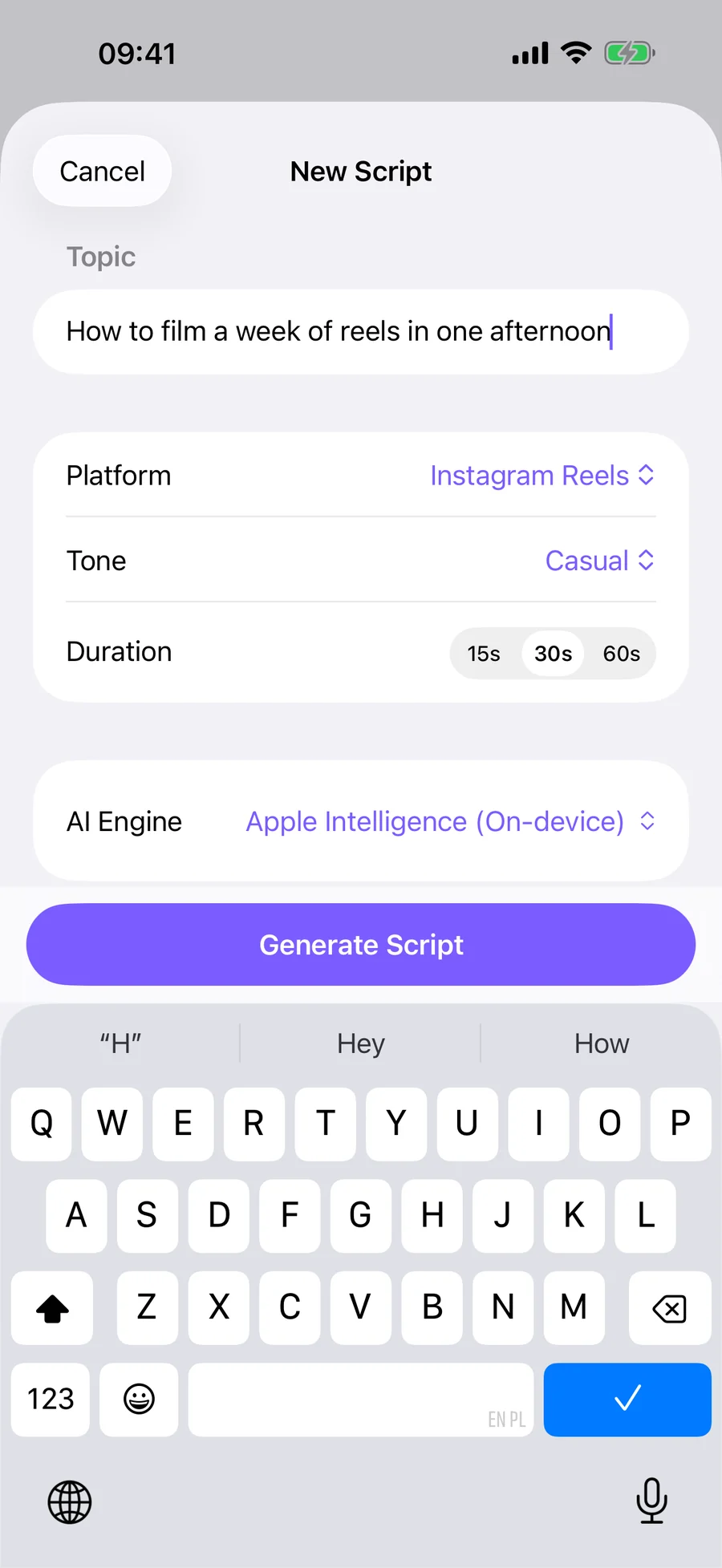
Type what the video is about, pick the platform, tone and length, and Reelly writes a script sized to the clip: a hook, the point, a call to action, in short lines you can read at a glance.
- Instagram Reels, TikTok or YouTube Shorts, at 15, 30 or 60 seconds
- Casual, professional, funny, motivational or educational
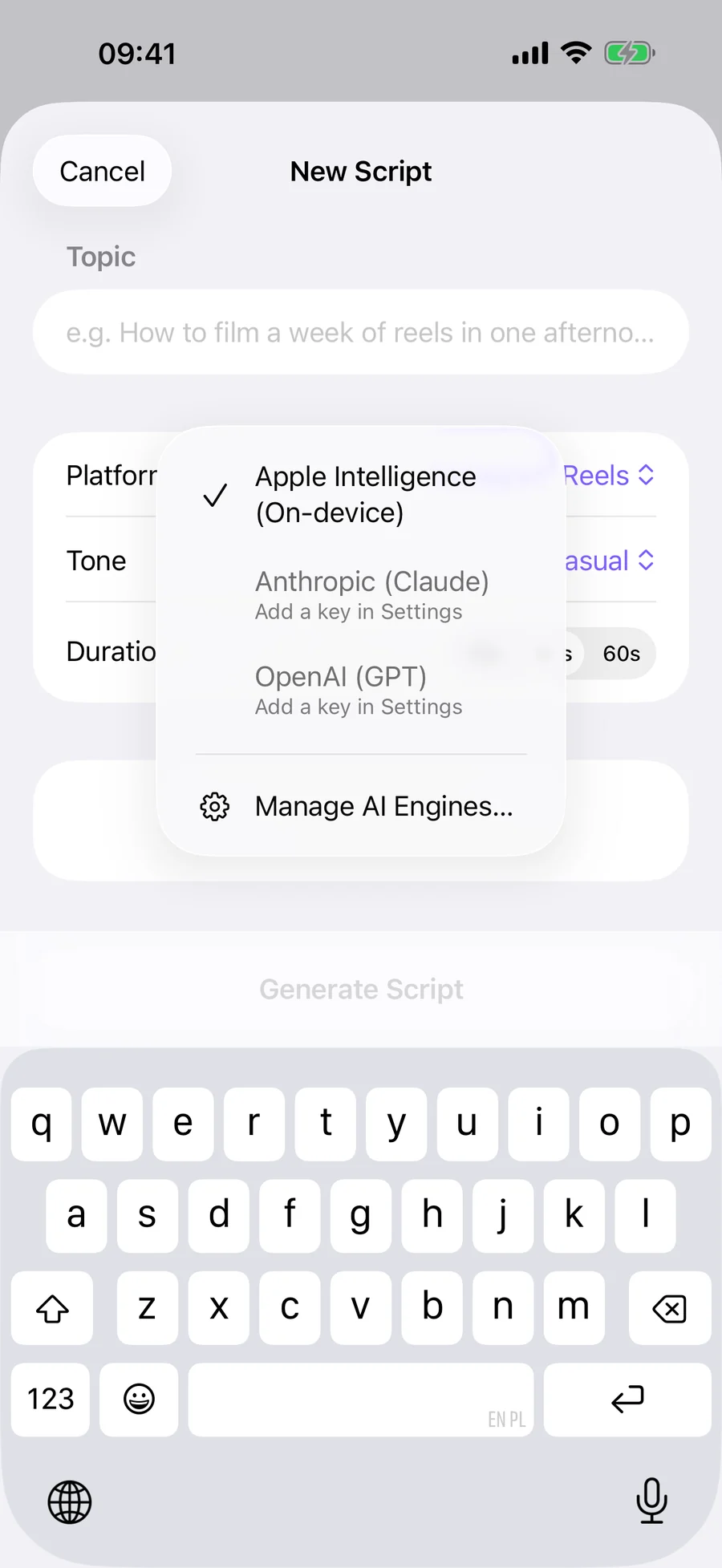
- On an iPhone with Apple Intelligence, written on the device. No account, no API key.
- Prefer Claude or GPT? Add your own Anthropic or OpenAI key.
- Edit freely, with a live word count and read time
Scene 02Read
Eyes on the lens, lines on the screen.
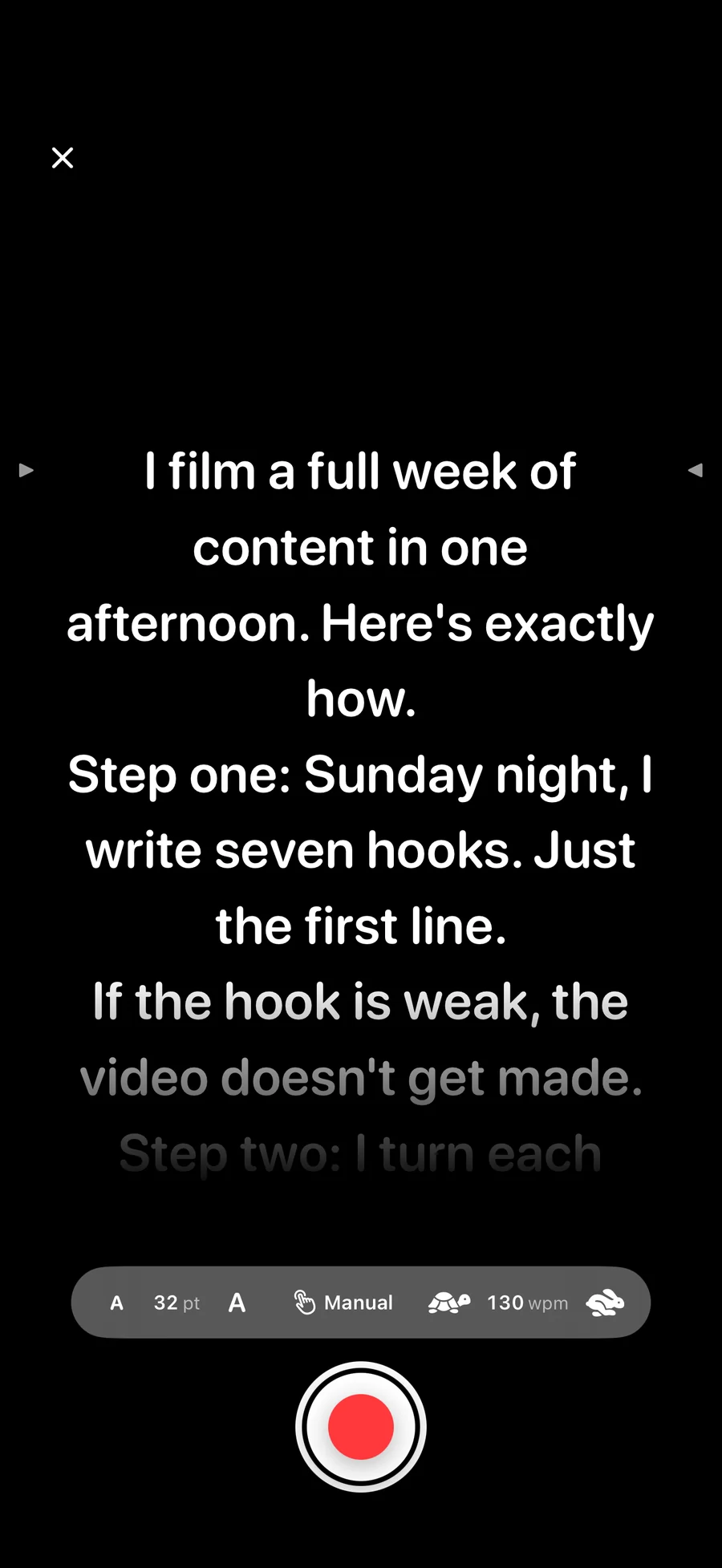
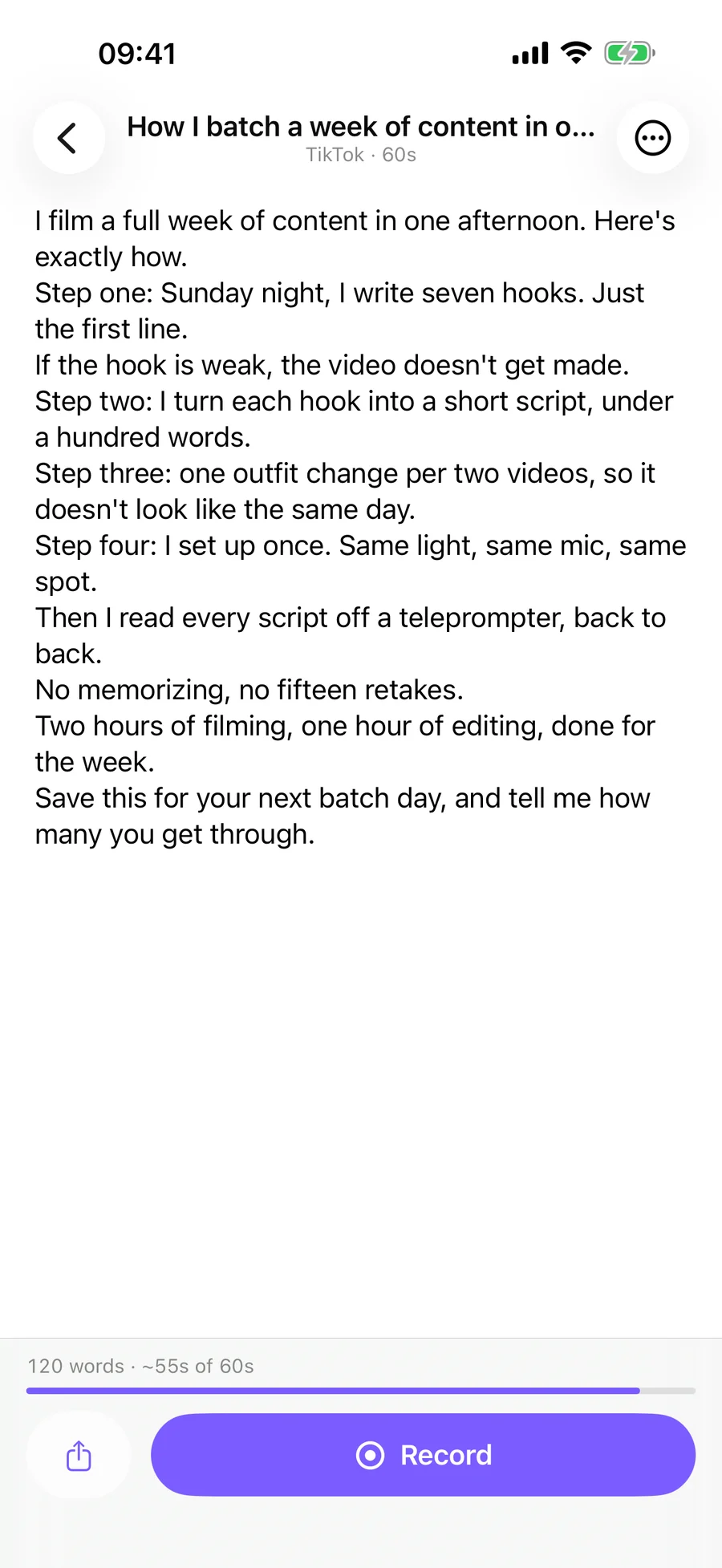
The script scrolls over your live front camera, so you read without looking away. Pick how it moves.
- Fixed pace
- Anywhere from 60 to 250 words per minute.
- Match my voice
- Speech recognition moves the script along as you talk.
- Pause between lines
- It waits for you to finish a line before showing the next.
- Text from 24 to 56 pt, tap anywhere to pause
- A three second countdown you can cancel
- Clips of up to 10 minutes
Scene 03Share
Cut. It's ready to post.
When you stop recording, choose how the clip leaves the app.
Just video
Best for talking-head clips
Video + script
The script scrolls over the video
- Saved to your Photos library
- Share to Instagram Stories, open TikTok, or use the share sheet
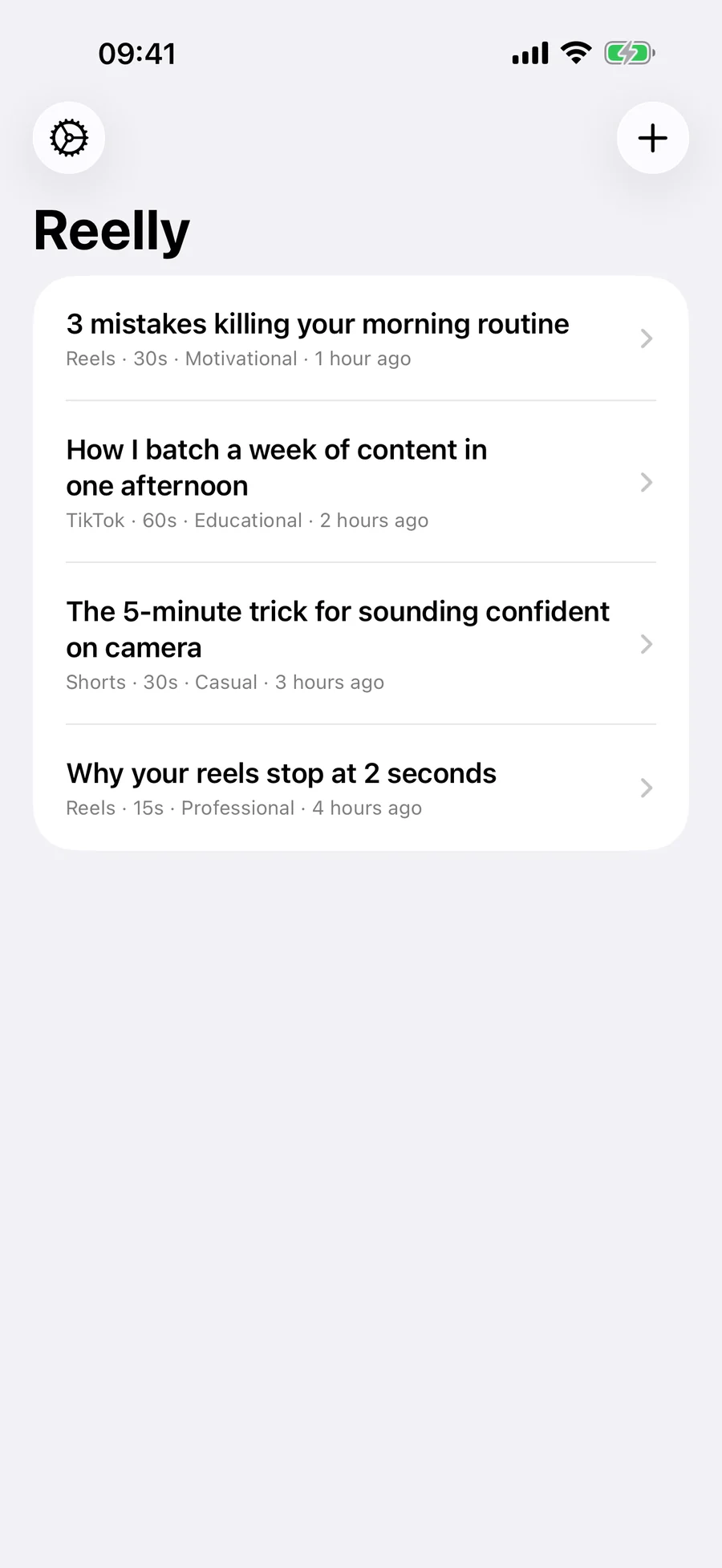
- Your scripts stay in a library that syncs through your private iCloud
Privacy
What goes where.
No account, no server of mine in between, nothing to opt out of. Here's the whole map.
- Scripts and topics
- On your iPhone, and in your private iCloud
- Writing with Apple Intelligence
- Happens on the device
- Writing with your own key
- Straight to Anthropic or OpenAI, never through me
- API keys
- Your iPhone's Keychain
- Videos
- Your Photos library, and wherever you share them
- Ads, tracking, analytics SDKs
- None
The full details are in the Reelly privacy policy.
Pricing
Free to start. Pro when it's part of your week.
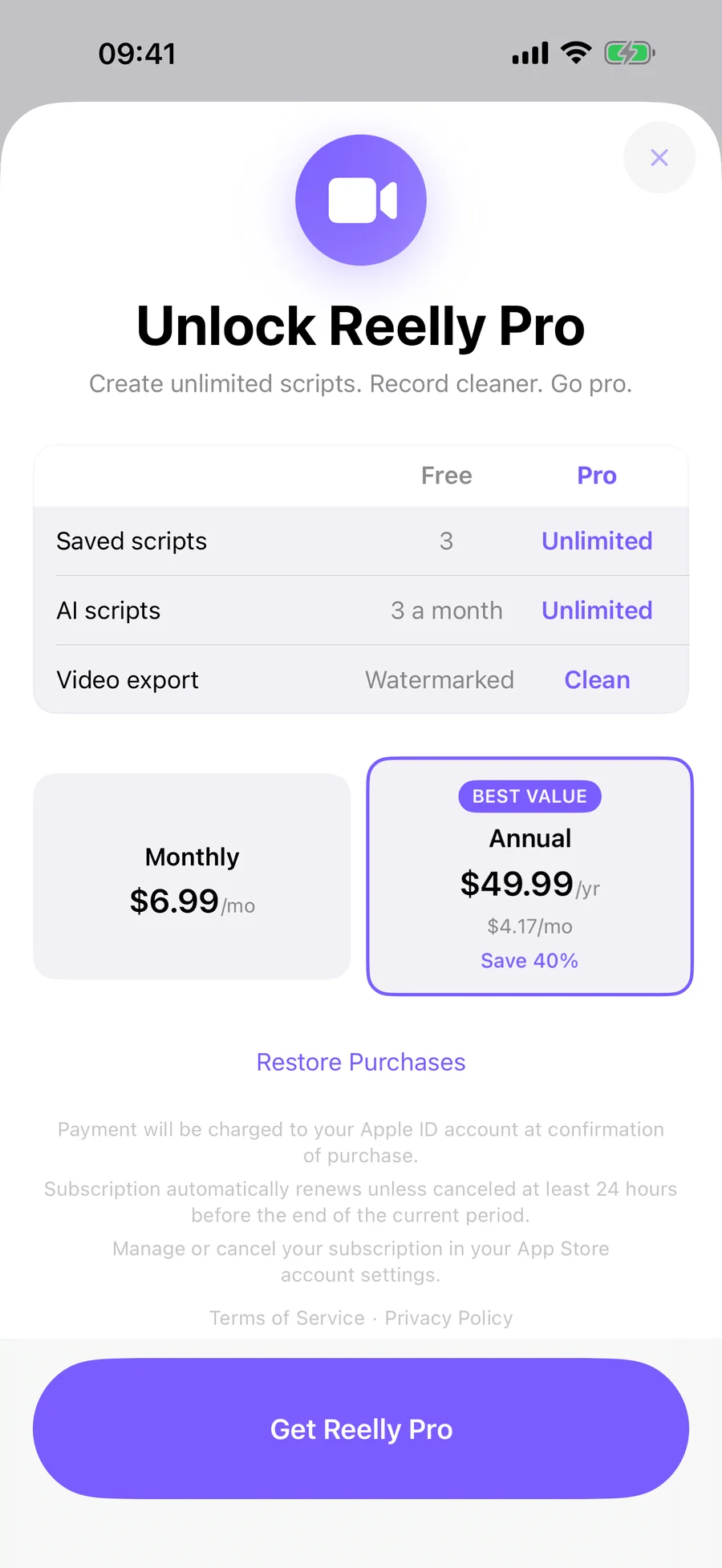
Free
- 3 AI scripts a month
- Your 3 most recent scripts
- Teleprompter, all scroll modes and recording
- A small Reelly watermark on exports
Reelly Pro
- Unlimited AI scripts
- Your whole script library
- Clean exports, no watermark
- Monthly or annual, cancel any time
Prices show in the App Store in your own currency before you subscribe. If you write with your own Anthropic or OpenAI key, the provider bills that usage to you.
Questions
Before you hit record.
Do I need an API key?
Not on an iPhone that supports Apple Intelligence, running iOS 26 or later with Apple Intelligence turned on: Reelly writes scripts on the device. On other iPhones, or if you'd rather use a cloud model, add your own Anthropic or OpenAI key in Settings. Those requests go straight from your iPhone to the provider, with no server of mine in between, and you pay the provider for what you use, usually a fraction of a cent per script.
Where do I get an API key?
Create one at console.anthropic.com (Anthropic) or platform.openai.com (OpenAI), then paste it in Reelly's Settings. It's stored in your iPhone's Keychain.
Which languages can it write in?
English, Polish, Spanish, French, German, Portuguese and Italian. Apple Intelligence on the device doesn't cover every one of them yet. If it can't write in the language you picked, Reelly tells you, and an Anthropic or OpenAI key covers the rest.
How does voice-paced scrolling work?
Reelly listens through the microphone using Apple's speech recognition and moves the script along as you speak. Line-by-line mode waits for you to pause before moving to the next line.
Where are my videos saved?
In your Photos library. Reelly asks for permission to add to Photos, not to read it.
How do I restore or cancel Pro?
Restore from the Pro screen or Settings with the same Apple ID. To cancel, open Settings on your iPhone, tap your name, then Subscriptions, and choose Reelly. You keep Pro until the end of the period you paid for.
Something else? Reelly support has more, or email support@solooperatorstack.com.
REC Take 1
Roll camera.
Reelly is coming to the App Store. Send me a note and I'll tell you the day it launches.
Tell me when it launches